Products/Invoicing
Send the invoice. See it paid.
Every invoice carries your USD or EUR details and a payment link. Your client pays by bank transfer or in USDC, and Glide matches the money to the invoice when it lands.
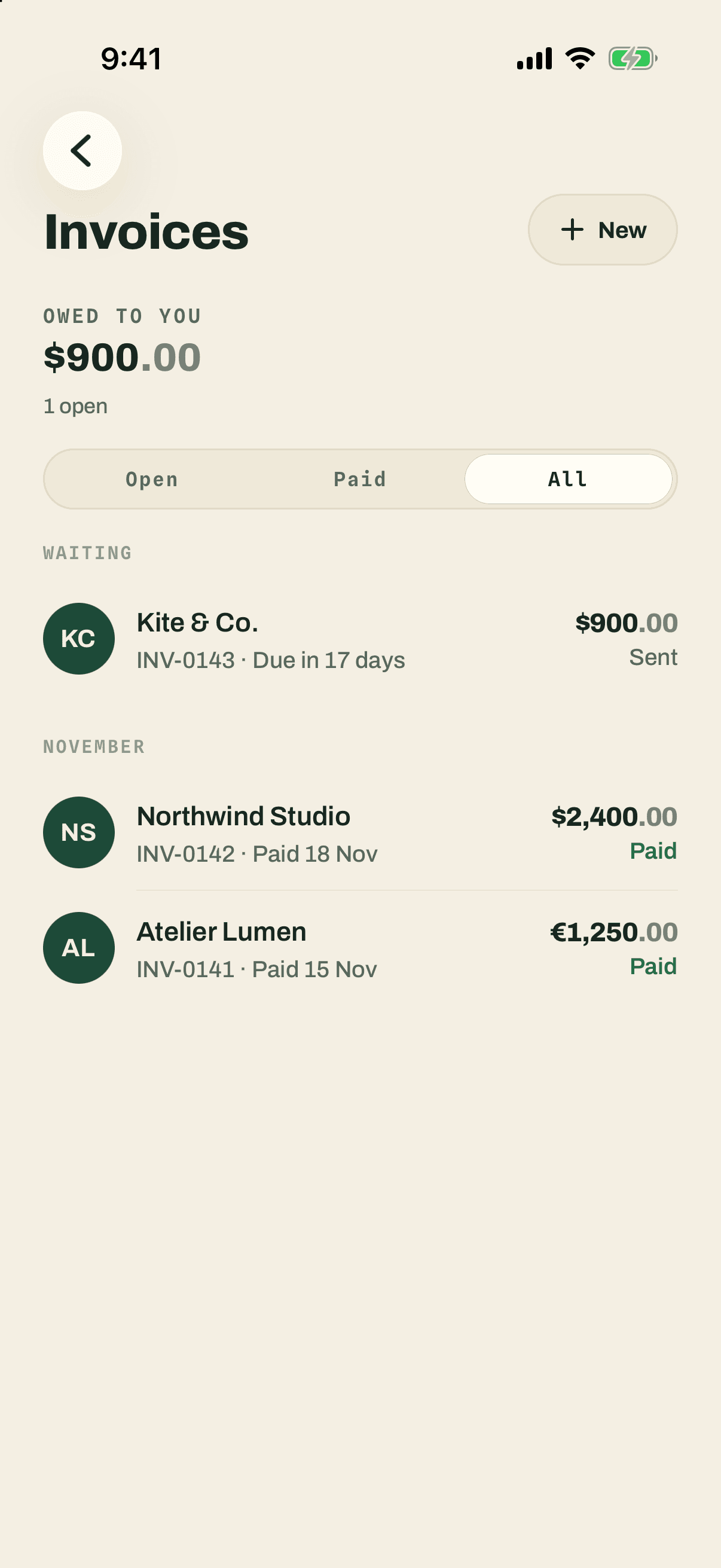
Invoice in dollars or euros · example data on screen


01Get paid
One invoice. Two ways to pay it.
Your client opens the payment link and picks what suits them. You see one paid invoice in both cases.
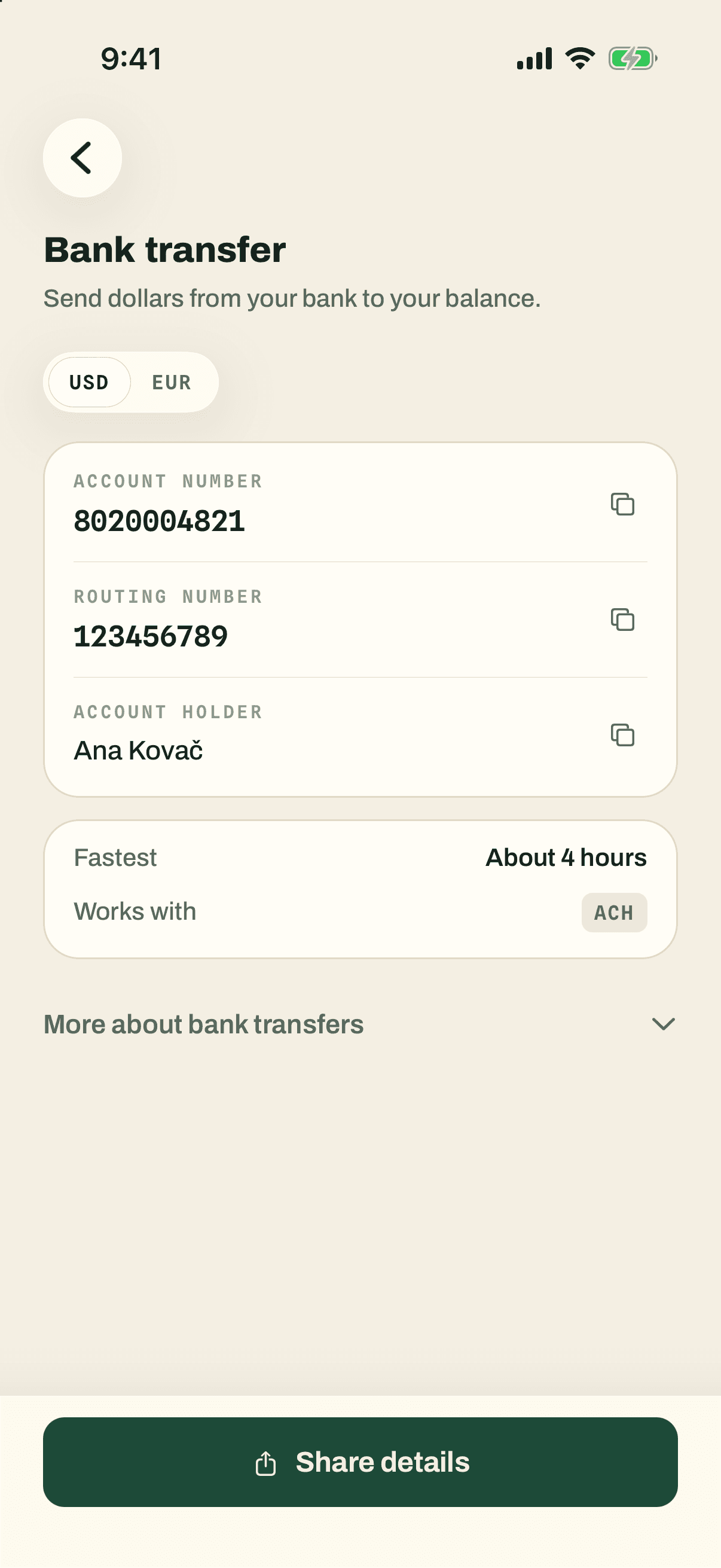
US clients pay your routing and account number by ACH or wire. European clients pay your euro IBAN by SEPA. The details sit on the invoice.
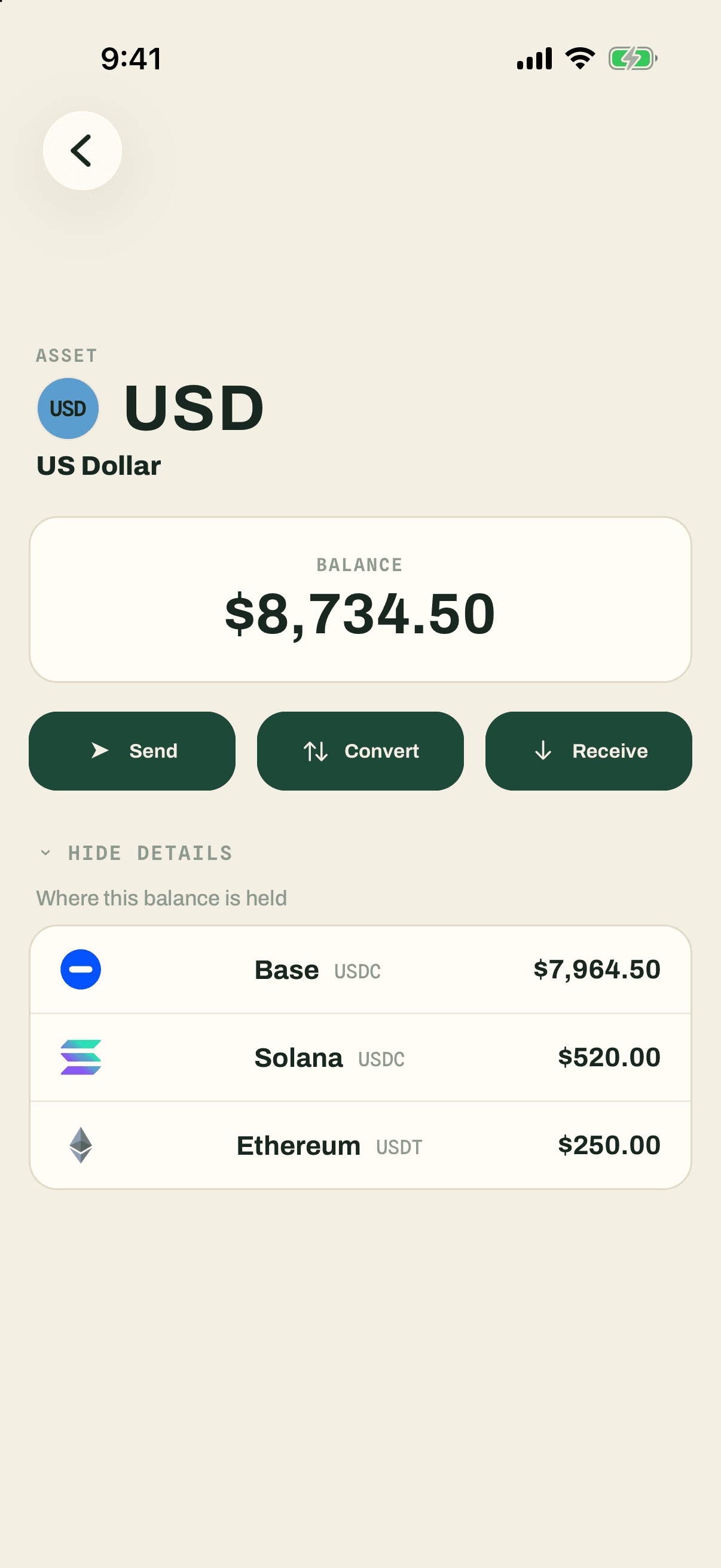
A dollar invoice paid in USDC is matched one for one against the amount due, and lands in your dollar balance.
02Follow one invoice
From draft to matched, without a spreadsheet.
INV-0188 to Lumen Group, for $18,000.00, due November 30. Here is everything that happens to it.
Pick the client from your saved recipients. Add line items, the currency and a due date.
The client gets the invoice with a payment link and your account details on it.
Three days before the due date, Glide sends a reminder with the link attached. You write nothing.
$10,000.00 arrives by bank transfer. It attaches to INV-0188 and the invoice shows $8,000.00 open.
8,000 USDC arrives. The invoice closes and the status changes for everyone on your team.
Example invoice · dates and amounts illustrative
03Matching
Every payment stays attached to its invoice.
Part payments, overpayments and late payments sit on the original document, not in a screenshot in a thread.
$0.00Open on INV-0188 · example
- Clients you already have
- Bill anyone in your saved recipients without retyping their details.
- Status on the invoice
- Sent, part paid, paid or overdue. No guessing from an activity feed.
- Reminders before and after
- Automatic, with the payment link attached each time.
04Then use it
Client money in. Payroll out.
Invoice money lands in the same balance you pay from. There is no transfer step between received and usable, so what a client pays can fund the next run.
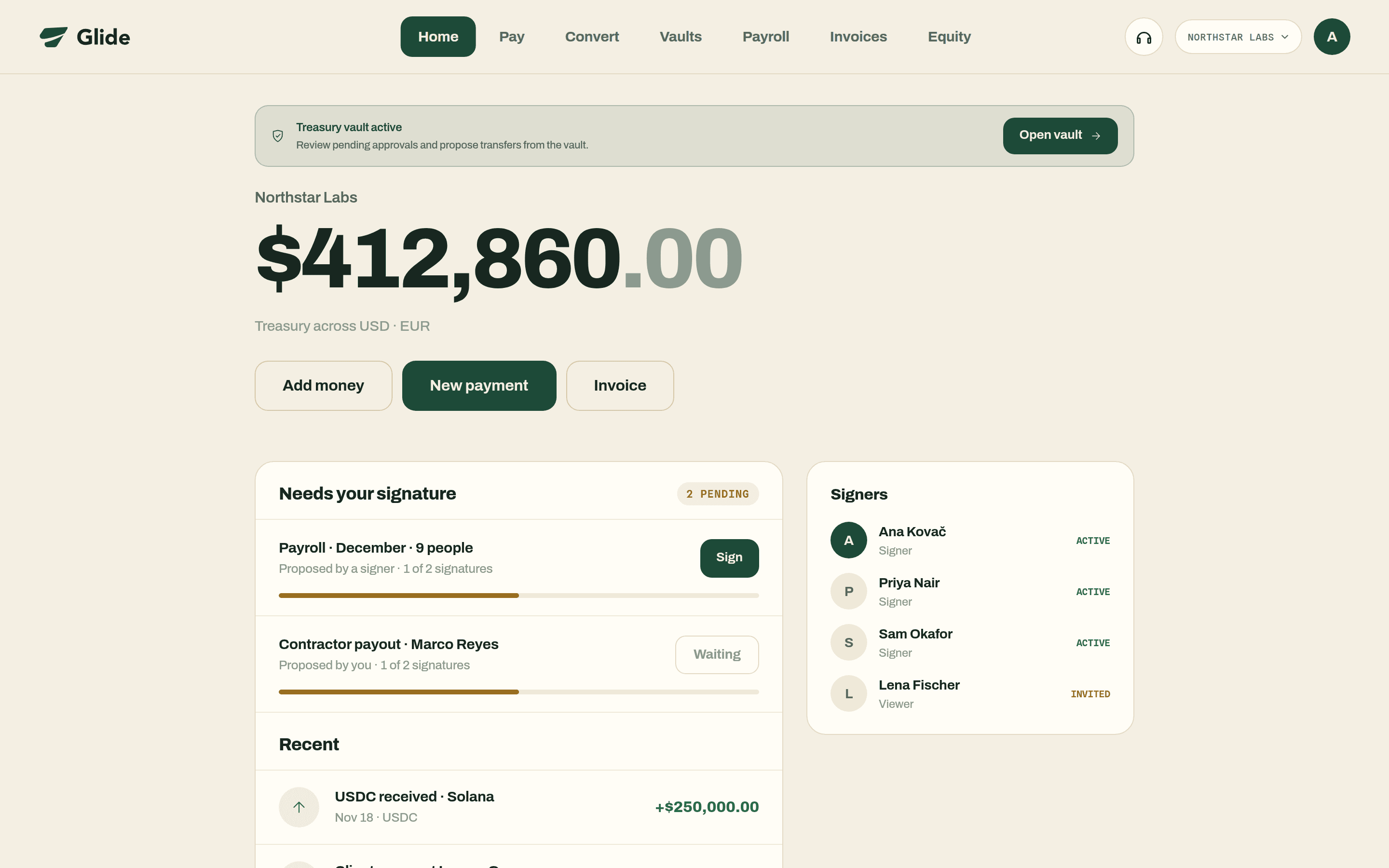
Money received and a payroll run waiting for signatures, on one screen · example data
What clients owe you and what you owe your team, in one account.
Invoice in either. Hold both, and convert when the rate suits you.
Members with access see the same status you do. Nobody forwards a receipt.
Questions
Questions about invoicing.
Which currencies can I invoice in?
US dollars or euros. Each invoice carries the matching account details: your US routing and account number, or your euro IBAN.
How can my client pay?
By bank transfer to the details on the invoice, or in USDC through the payment link. You see a single paid invoice in both cases.
What happens when a client pays in USDC?
A dollar invoice paid in USDC is matched one for one, so 8,000 USDC settles $8,000.00 of the invoice.
What if a client pays part of an invoice?
The payment attaches to the invoice and the open balance updates. Overpayments and late payments stay on the same document.
Do I have to chase late invoices myself?
No. Glide sends reminders before and after the due date, with the payment link attached.
When can I use the money?
As soon as it lands in your balance. You can put it toward payroll or a supplier payment straight away.
Get the app
Open your account in about two minutes.
Get your US account details and euro IBAN today. On iPhone and Android.